A lot of people have an idea for a project but never write it down anywhere — and it gets forgotten. That genius idea you once had is gone forever. Or ideas are scattered across different apps, different tools, different physical notes, none of them talking to each other.
Projects fail or never get started because the plan lived mostly in your head — and barely anywhere else apart from the vague notes you left somewhere you don’t even remember.
MenaTask Projects is a lightweight but complete project management system that keeps every initiative — from the half-formed idea to the active launch — in one place. Intent and execution together. Strategy that doesn’t disappear when Monday arrives.
Structure for work that spans weeks — without the enterprise overhead.
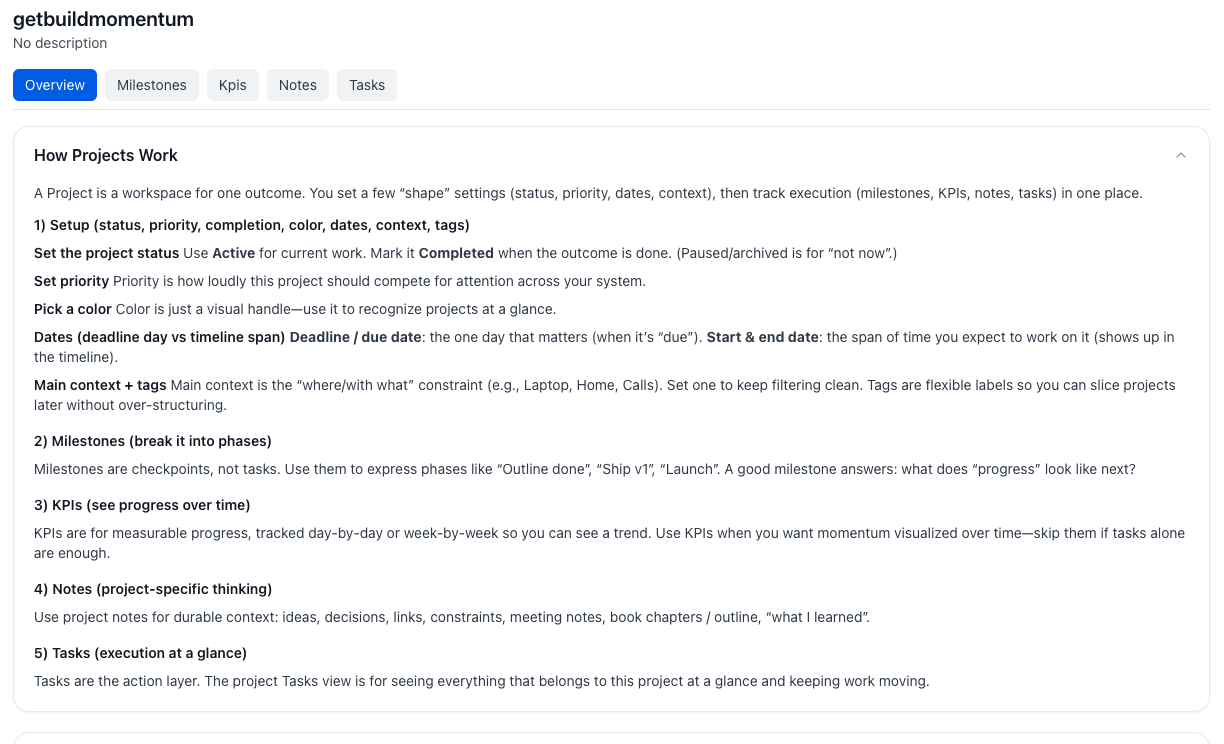
If your project lives only in a document, your task list becomes noise. If it lives only in tasks, the strategy disappears. If it lives in a separate project tool, you’re maintaining two systems that never quite talk to each other.
The result is always the same: urgent tasks crowd out important work, milestones slip without anyone noticing, and the weekly review becomes an archaeology exercise — digging through tools to remember what you were actually trying to ship.
A project record should answer two questions at any moment: what does done look like? and are we winning right now? Everything else is overhead.
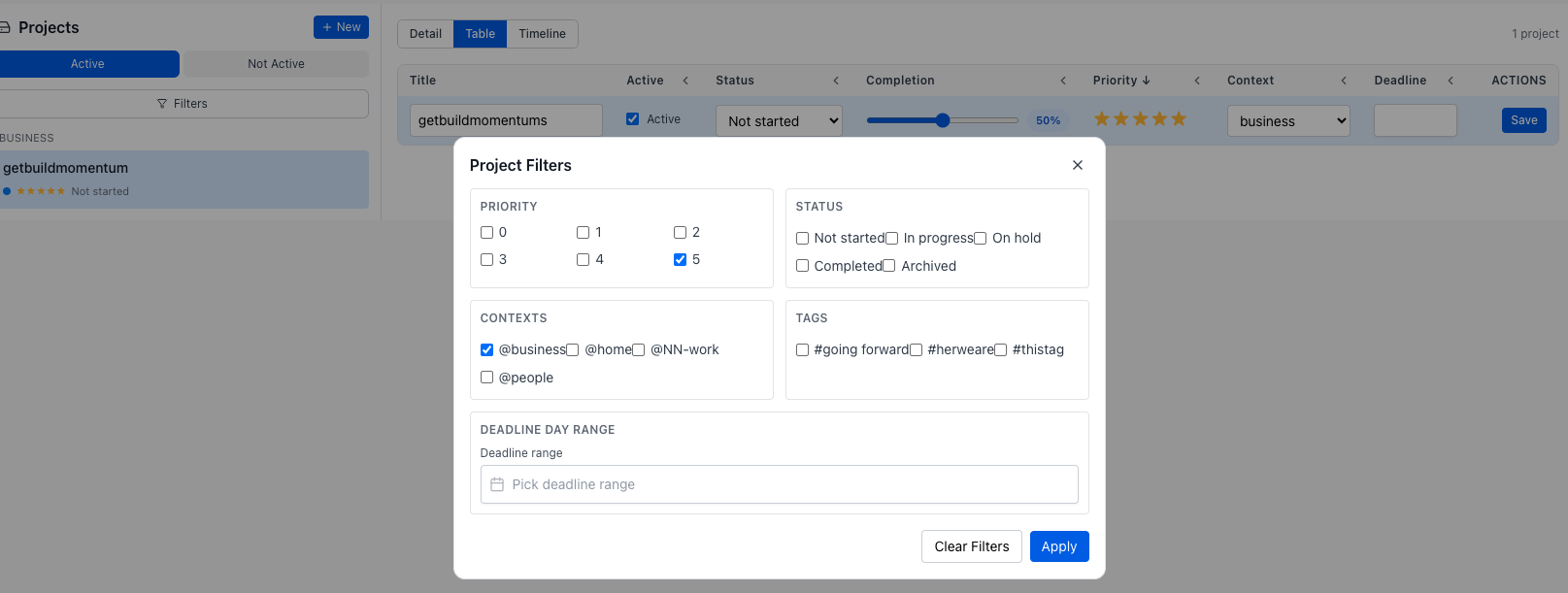
Switch between Detail, Table, and Timeline from one header. Filter by priority, status, area, or deadline — then edit inline in the spreadsheet view or scan start/end dates on a Gantt-style timeline. Weekly review becomes “which projects are actually moving?” instead of opening twelve tabs.
A project with no milestones is just a deadline and a prayer. The distance between starting and shipping is where motivation dies — especially when the work spans weeks or months and progress feels invisible.
Milestones give you psychological wins before the finish line. They turn a single intimidating arc into a sequence of completable stages. When reality shifts — and it always does — you reorder them without losing the thread.
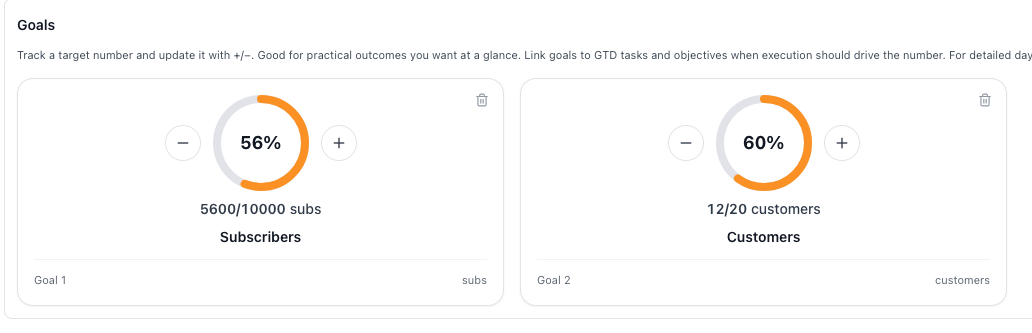
Every project can carry lightweight goal counters beside milestones and KPIs — so “what does winning look like?” stays on the same page as the work, not in a separate goals app you forget to open.
Most tools ask you to manually update project progress. MenaTask KPIs work the same way as your habits — they’re backed by real logged entries, not estimates you drag to wherever feels optimistic on a Friday afternoon.
If a KPI matters enough to track, it matters enough to log. MenaTask makes that the same gesture whether it’s a life habit or a project metric.
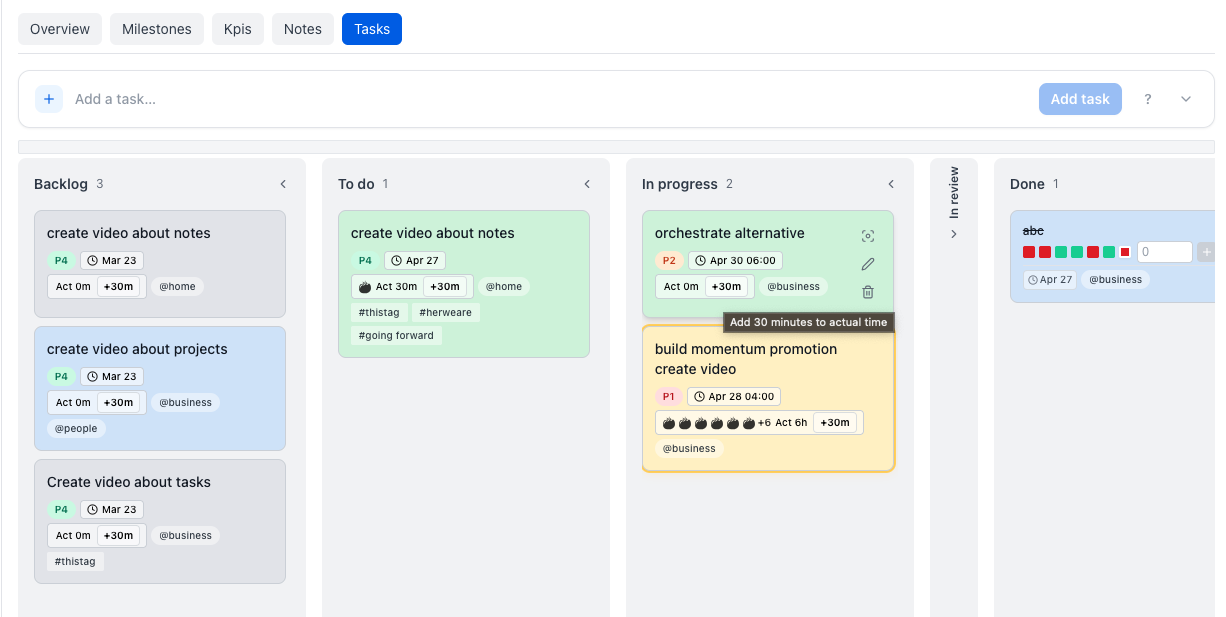
Every task you create inside a project automatically carries the project context — no tagging, no manual linking, no remembering which list is which. Quick add inside a project locks to that project without needing the !pr: token.
Every project gets a dedicated notebook. Meeting notes, specs, links, decisions, context — all living next to the milestones and tasks they belong to. No more Notion pages that were last edited four months ago. No more Googling your own decisions.
Save a project as a template once — milestones, KPI definitions, notebook notes, the lot. Next time you spin up the same kind of work, the skeleton is already there. You adjust instead of reinvent.
Up to 2 active projects, basic organization and KPI tracking
Up to 25 active projects, richer KPI workflows, improved progress visibility
Unlimited active projects, full portfolio-level flexibility
Projects you pause don’t disappear — archive without shame. The active list stays honest. The history stays searchable.
Built for the operator whose life and work share the same system.
Flexible — but easy to build a museum nobody opens on Tuesday. Tasks fragment across databases. No native KPI and milestone loop tied to how you actually log your days.
Built for handoffs and sprints. Serious overhead for solo operators. Your personal goals still need another home. Monthly cost often assumes enterprise workflows you’ll never use.
Projects, tasks, notes, goals, habits, and budget — one login. Milestones and KPIs live next to execution, not in a forgotten wiki. Lightweight enough for a weekly review. Structured enough for a real launch.
Is this a replacement for Jira or Asana?
No — and it doesn’t try to be. MenaTask Projects is for the individual operator managing initiatives where life, habits, and work are part of the same picture. If you’re coordinating fifty engineers across sprints, you need a team tool. If you’re running your own launches, client work, or long-horizon personal projects, this is built for you.
What’s the difference between a KPI and a regular habit?
Mechanically, very little — KPIs use the same logging and measurement system as habits. The distinction is scope: habits track ongoing behaviors, KPIs track outcomes tied to a specific project with a defined endpoint.
What happens to my tasks if I delete a project?
The in-app deletion modal shows exactly what will be removed. Project metadata, KPIs, and milestones are deleted. Check the modal before confirming — it reflects the live behavior of the app.
I only need tasks right now. Do I need Projects?
No. Use Tasks until your work spans weeks and needs milestones and KPIs. Add Projects when the question stops being “what should I do today?” and becomes “are we on track to ship?”
Start free — no credit card required. Add Projects when your work outgrows a list.
